
To calculate percentage change, subtract the original value from the new value, divide by the original value, and multiply by 100. A positive result indicates an increase; a negative result indicates a decrease.
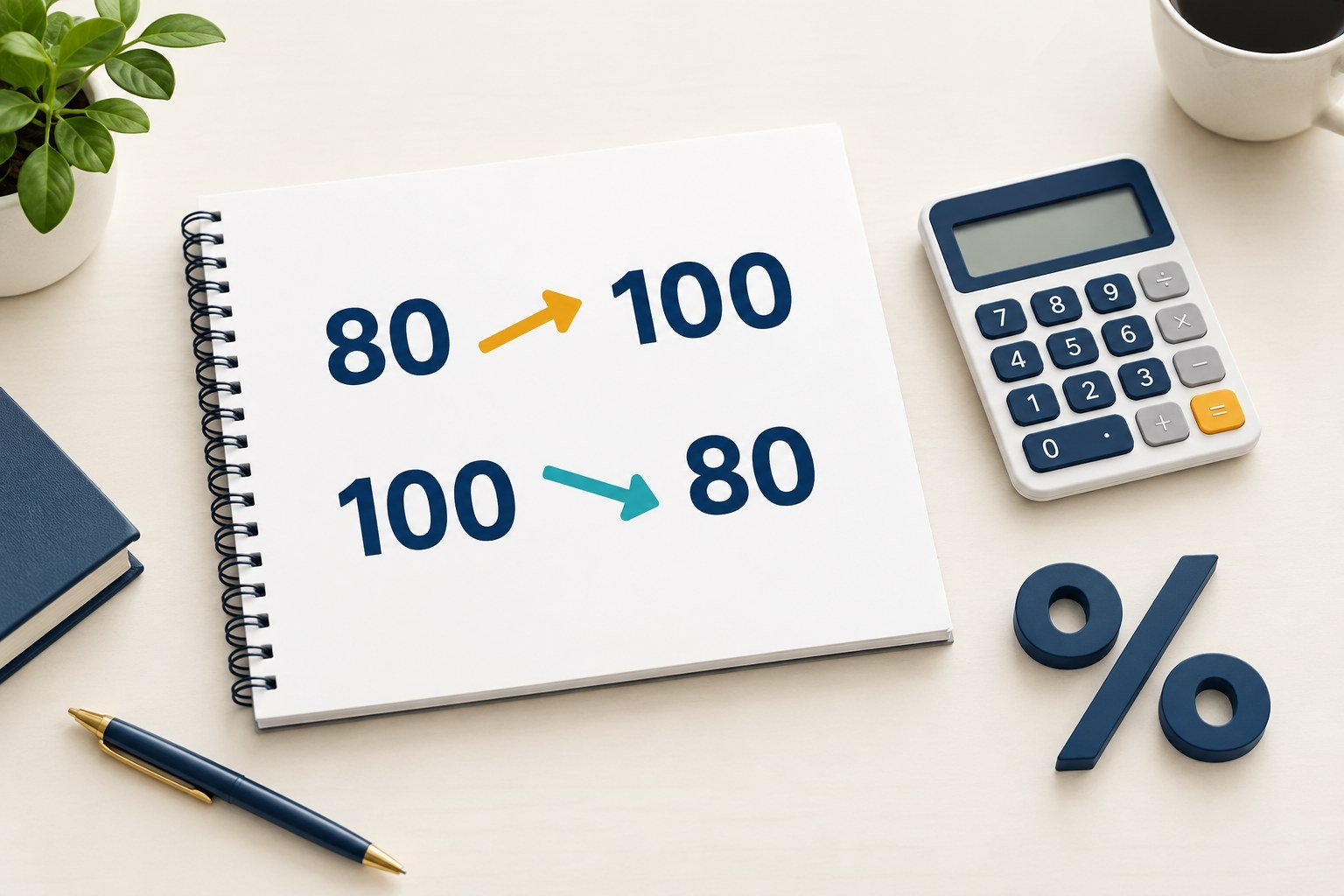
For example, changing from 80 to 100 is a 25% increase. Changing from 100 to 80 is a 20% decrease, even though both differences equal 20.
How to calculate percentage change: the formula
Percentage change = ((new value − original value) ÷ original value) × 100. Use this familiar version when the original value is positive.
Subtract first, divide by the starting value, and multiply by 100. Keep the sign until you describe the result as an increase or decrease.
For a negative starting value, some conventions use its absolute value in the denominator. Explain your convention because percentage changes involving negative baselines can be misleading.
A starting value of zero makes conventional percentage change undefined. The original value would be the denominator, and division by zero is not permitted.
Calculate percentage change in five steps
- Identify the original value, such as last month’s revenue.
- Identify the new value, such as this month’s revenue.
- Subtract the original value from the new value.
- Divide that difference by the original value.
- Multiply by 100 and label an increase or decrease.
Double-check that both values use the same units and measure comparable things. Otherwise, a mathematically correct percentage may answer the wrong question.
Percentage change examples with answers
Example 1: increase from 80 to 100
A product previously cost $80 and now costs $100. Its dollar increase is $20, and $20 divided by $80 equals 0.25.
((100 − 80) ÷ 80) × 100 = 25%. The price increased by 25% relative to its original $80 price.
Example 2: decrease from 100 to 80
The same product falls from $100 to $80. Subtracting gives −$20, but the starting price is now $100 instead of $80.
((80 − 100) ÷ 100) × 100 = −20%. The minus sign indicates a 20% decrease.
Example 3: sales increase from 240 to 300
A business sells 240 units one week and 300 the next. The difference is 60 units, measured against the original 240 units.
((300 − 240) ÷ 240) × 100 = 25%. Sales increased by 25% from one week to the next.
Example 4: a change in monthly visitors
A website receives 2,500 visits in one month and 2,300 the next. The change is −200 visits, divided by the original 2,500.
((2,300 − 2,500) ÷ 2,500) × 100 = −8%. Monthly visits decreased by 8%. This calculation describes volume, not necessarily website quality.
Percentage increase and decrease comparison table
Use the original value in every row, even when the absolute change is identical. Changing the baseline changes the percentage.
| Original | New | Difference | Percentage change |
|---|---|---|---|
| 80 | 100 | +20 | +25% (increase) |
| 100 | 80 | −20 | −20% (decrease) |
| 240 | 300 | +60 | +25% (increase) |
| 200 | 150 | −50 | −25% (decrease) |
| 50 | 50 | 0 | 0% (no change) |
Percentage change vs. percentage difference
Percentage change compares an old value with a new value. Percentage difference compares two values when neither is the obvious starting point.
For positive values, percentage difference divides the absolute difference by their average: |A − B| ÷ ((A + B) ÷ 2) × 100.
Values of 80 and 100 have a 22.22% percentage difference. Moving from 80 to 100, however, gives a 25% percentage increase.
These formulas answer different questions. Read more about the distinction at Math Is Fun: Percentage Difference.
Percentage points vs. percent change
Suppose a conversion rate rises from 20% to 25%. The direct difference is five percentage points, not five percent.
Relative to the original 20% rate, the percentage change is ((25 − 20) ÷ 20) × 100 = 25% increase.
Percentage points describe the difference between two percentages. Percentage change measures that difference relative to the first percentage.
Reverse percentage change: find the original amount
Sometimes you know the new value and the percentage change but not the original. Reverse the calculation using a decimal multiplier.
After an increase, original = new value ÷ (1 + increase rate). For a $120 price after a 20% increase, divide $120 by 1.20.
The original price was $100. Multiplying $100 by 1.20 verifies the $120 final price.
After a decrease, original = new value ÷ (1 − decrease rate). A $75 price after a 25% discount implies $75 ÷ 0.75 = $100.
A 100% decrease leaves a new value of zero, regardless of the positive original amount. Without additional information, you cannot recover that amount.
Why equal percentage increases and decreases do not cancel out
Imagine increasing $100 by 20%. The result is $120. Now decrease $120 by 20%, which subtracts $24.
You finish with $96, four dollars below the original price. Each 20% calculation uses a different baseline.
For multiple periods, calculate each percentage against the immediately preceding value. Do not simply add percentage changes when their baselines differ.
How to calculate percentage change in Excel or Google Sheets
Place the original value in A2 and the new value in B2. Enter =(B2-A2)/A2 in C2, then format the cell as a percentage.
With A2 set to 80 and B2 set to 100, Excel displays 25%. Do not multiply the formula by 100 again if the cell uses percentage formatting.
Check for an original value of zero before calculating. Microsoft provides further worked examples in Calculate percentages in Excel.
When to use a percentage change calculator
A percentage change calculator can help you check arithmetic when comparing prices, salaries, revenue, sales, website traffic or other before-and-after measurements.
Enter the original value first, then the new value. Confirm the calculator uses the original amount as its baseline and handles a zero baseline correctly.
For more calculations, browse the Toolszzz calculator directory. A direct percentage-change tool URL has not been independently confirmed, so this guide does not invent one.
Common percentage change mistakes
- Dividing by the new amount instead of the original amount.
- Confusing percentage points with percentage change.
- Using percentage difference for a before-and-after comparison.
- Assuming a percentage change from zero can be calculated.
- Adding successive percentage changes without accounting for changing baselines.
- Comparing measurements expressed in different units.
Frequently asked questions
What is the percentage change from 50 to 75?
The increase is 25, divided by the starting value of 50. Multiply 0.5 by 100 to get a 50% increase.
Can percentage change exceed 100%?
Yes. A value increasing from 20 to 50 rises by 150%. An increase greater than the original amount produces a percentage above 100%.
What if the original number is zero?
Conventional percentage change is undefined. Report the absolute increase or decrease instead, and provide context rather than inventing a percentage.
What does a negative percentage change mean?
For a positive baseline, a negative percentage change means the new amount is lower than the original. For example, −20% indicates a 20% decrease.
References
- Math Is Fun: Percentage Change, Difference and Error — denominator and comparison conventions.
- Math Is Fun: Percentage Difference — comparing values without a baseline.
- Microsoft Support: Calculate Percentages — Excel percentage calculations.